Boost Your eCommerce Sales with vDesigner for VirtueMart

If you are running a Joomla-based eCommerce store with VirtueMart, offering product customization can significantly increase user engagement and conversions. vDesigner for VirtueMart is a powerful HTML5 product designer tool that enables your customers to create personalized products directly on your website.

What is vDesigner?

vDesigner is an advanced online product designing tool that allows users to customize products like t-shirts, mugs, phone cases, and more in real time. Customers can visually design and preview their products before placing an order, making the buying experience more interactive and engaging.

Key Features

  • Real-Time Product Customization
    Customers can add text, images, and clipart, and see live previews of their designs instantly.
  • Powerful Layer Management
    Users can control layers—adjust position, size, rotation, and opacity—just like professional design software.
  • Advanced Text & Image Editing
    Supports custom fonts, curved text, color options, and image filters like grayscale and sepia.
  • Multiple Product Views
    Design both front and back (or multiple sides) of a product with ease.
  • Custom Shapes & Flexible Canvas
    Create designs on circular, rectangular, or custom-shaped areas with adjustable canvas settings.
  • Admin Control & Flexibility
    Store owners can enable/disable features, set file upload limits, define color palettes, and manage fonts and clipart libraries.
  • Multi-Device Responsive
    Fully responsive tool that works seamlessly across desktops, tablets, and mobile devices.

Why Use vDesigner?

vDesigner transforms your online store into a customization hub. It not only enhances user experience but also opens new revenue streams by allowing you to sell personalized products. With its flexibility and ease of use, you can quickly implement a professional product design system without complex development.

Conclusion

If you want to stand out in the competitive eCommerce market, adding product customization is no longer optional. With vDesigner for VirtueMart, you can deliver a modern, interactive shopping experience that keeps customers engaged and drives higher sales.

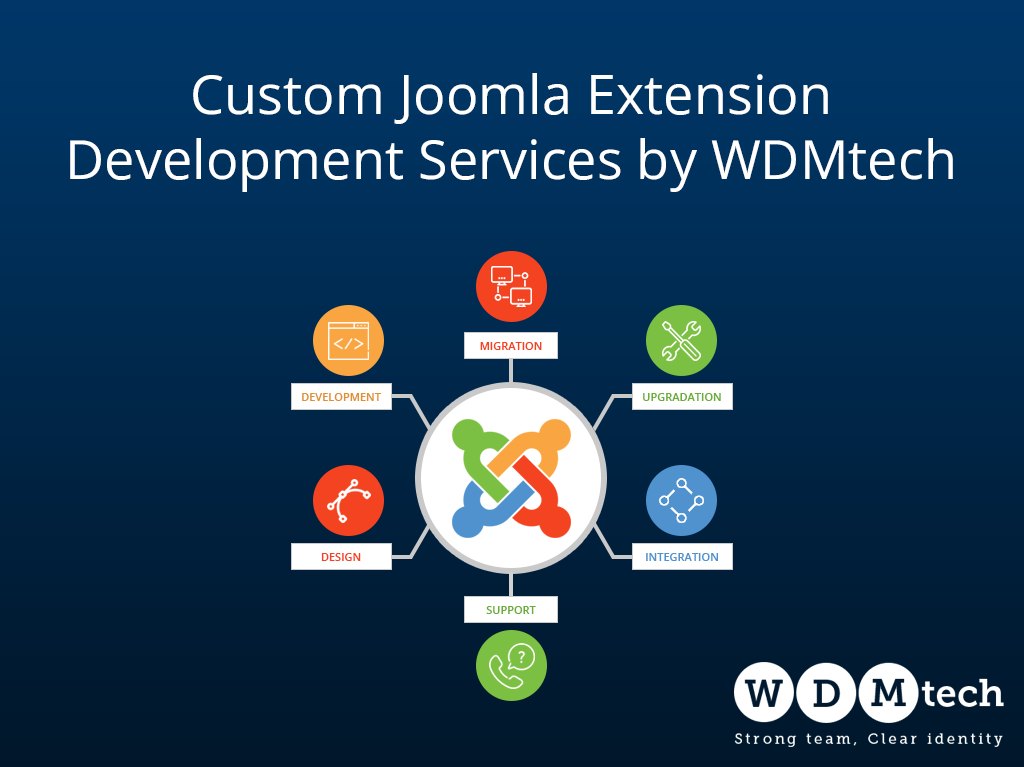
Custom Joomla Extension Development Services by WDMtech

Joomla is a powerful and scalable CMS, but businesses often require functionality beyond standard extensions. At WDMtech, we specialize in custom Joomla extension development, delivering tailored solutions that perfectly align with your business needs.

With over 15+ years of experience in Joomla development, we have built a strong reputation for creating high-quality, reliable, and scalable extensions for clients worldwide.

Why Choose Custom Joomla Extension Development?

While Joomla offers many ready-made extensions, custom development ensures your website performs exactly as required.

Benefits include:

  • Fully customized features and workflows
  • Seamless integration with third-party systems
  • Improved performance and scalability
  • Enhanced security and flexibility

Our Joomla Development Services

We provide comprehensive Joomla services, including:

1. Custom Joomla Component Development
We build powerful and scalable components tailored to your business logic.

2. Module & Plugin Development
Our team develops efficient modules and plugins to extend your website functionality.

3. VirtueMart Plugin Development
We create and customize VirtueMart plugins to enhance your eCommerce store with advanced features.

4. Extension Customization
We modify existing Joomla extensions to meet your exact requirements.

5. API Integration
We integrate CRMs, payment gateways, and third-party tools seamlessly.

6. Migration & Upgrade Services
We upgrade Joomla websites to the latest versions (Joomla 5 and 6) with complete data safety.

7. Maintenance & Support
We provide ongoing support to ensure smooth performance and security.

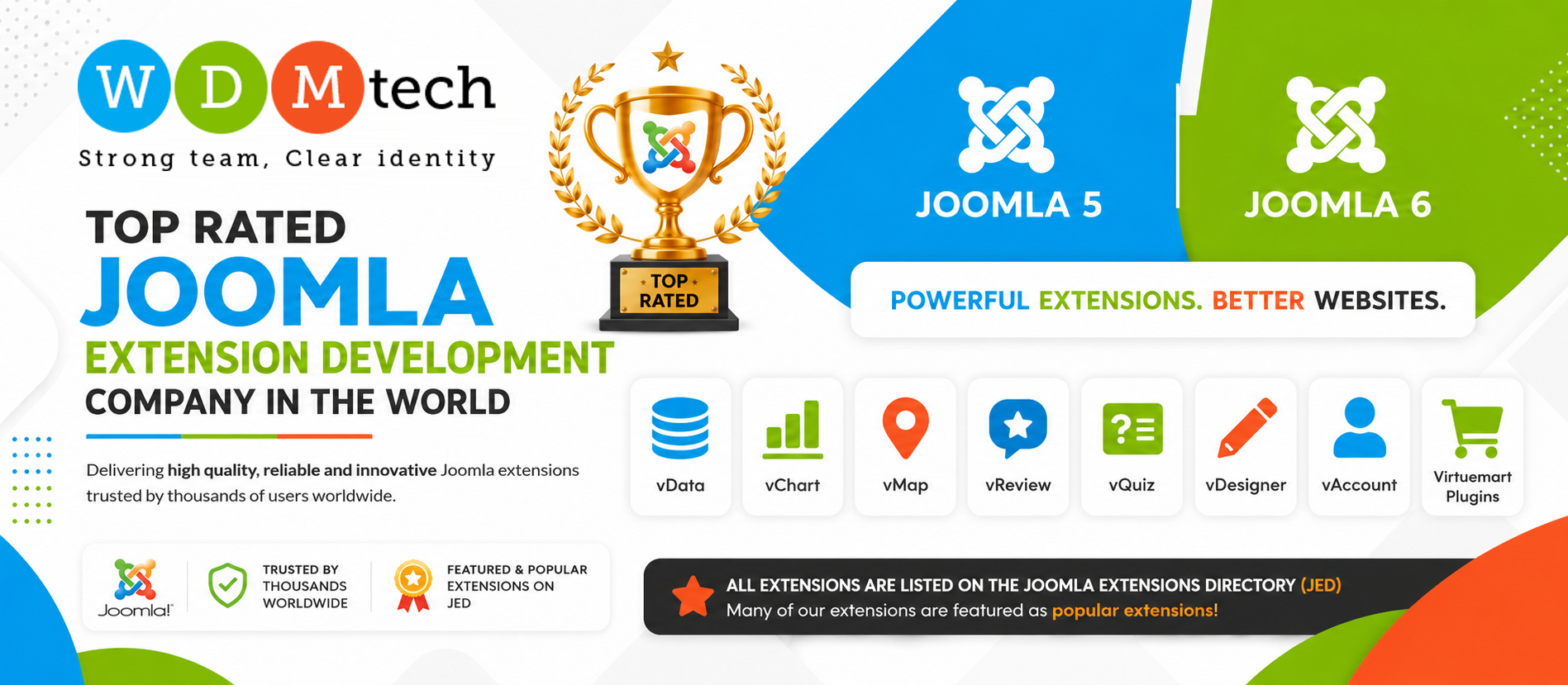
Our Popular Joomla Extensions on JED

WDMtech has developed several well-known Joomla 5 and 6 extensions, many of which are listed on the Joomla Extensions Directory (JED) and marked as popular:

  • vData – Advanced import/export solution
  • vChart – Data visualization and charting tool
  • vMap – Interactive mapping solution
  • vAccount – User account management extension
  • vReview – Review and rating system
  • vQuiz – Quiz and survey extension
  • VirtueMart Custom Plugins – Enhanced eCommerce functionality

You can explore our extensions here:
https://wdmjoomla.com
https://extensions.joomla.org/extension/vdata

Why Choose WDMtech?

  • 15+ years of Joomla development experience
  • Developers of multiple popular JED-listed extensions
  • Expertise in Joomla 5.x and 6.x
  • Focus on performance, security, and scalability
  • Long-term support and maintenance

Our Development Process

We follow a structured approach for successful delivery:

  1. Requirement analysis
  2. Solution design
  3. Custom development
  4. Testing and quality assurance
  5. Deployment and ongoing support

Get Started Today

If you are looking for reliable custom Joomla extension development services, WDMtech is your trusted partner. We deliver high-performance, scalable, and secure Joomla solutions tailored to your business.

Contact us today to discuss your project and take your Joomla website to the next level.

Elementor-Based Website Development Services by WDMtech

In today’s digital world, having a visually appealing, fast, and user-friendly website is essential for any business. At WDMtech, we specialize in developing high-quality websites using Elementor, one of the most powerful and flexible page builders for WordPress.

Why Choose Elementor for Your Website?

Elementor allows us to create stunning, responsive websites with complete design flexibility. Whether you need a business website, portfolio, eCommerce store, or landing page, Elementor provides the tools to build modern and engaging designs without compromising performance.

Our Elementor Development Services

At WDMtech, we offer comprehensive Elementor-based website development services tailored to your business needs:

1. Custom Website Design
We create fully customized designs that reflect your brand identity and business goals.

2. Responsive Development
All our websites are mobile-friendly and optimized for seamless performance across devices.

3. Speed Optimization
We ensure fast loading times by optimizing images, code, and server performance.

4. SEO-Friendly Structure
Our websites are built with proper heading structure, clean code, and SEO best practices to improve search rankings.

5. eCommerce Development
We develop powerful online stores using Elementor integrated with WooCommerce.

6. Website Maintenance & Support
We provide ongoing support, updates, and maintenance to keep your website running smoothly.

Why Work with WDMtech?

  • 15+ years of web development experience
  • Expertise in WordPress and Elementor
  • Focus on quality, performance, and user experience
  • Reliable long-term support
  • Proven track record with global clients

Our Development Approach

We follow a structured process to ensure successful project delivery:

  1. Requirement analysis
  2. Design and layout planning
  3. Development using Elementor
  4. Testing and optimization
  5. Final delivery and support

Get Started Today

If you are looking for a professional Elementor-based website that stands out and delivers results, WDMtech is here to help. We are committed to delivering high-quality solutions that meet your expectations and help grow your business.

Why Clients Choose WDMtech on Upwork: A Decade of Trust, Quality, and Results

In the fast-moving world of digital development, finding the right technology partner can be challenging. Businesses look for a team that is reliable, experienced, transparent, and committed to delivering measurable results. For more than 10 years, WDMtech has been that trusted partner on Upwork, consistently earning the platform’s prestigious Top Rated Plus badge.

But what makes clients repeatedly choose WDMtech over thousands of other agencies?

Here are the key reasons:

  1. 10+ Years of Proven Excellence

    WDMtech has been active on Upwork for over a decade, building long–term relationships and completing hundreds of successful projects. This level of consistency and longevity is rare—and it reflects our strong work ethic, technical expertise, and customer satisfaction.

    Clients know they’re partnering with a company that has stood the test of time.

  2. Top Rated Plus: A Badge Earned Through Quality

    Upwork awards the Top Rated Plus status only to agencies that maintain:

    • High Job Success Scores
    • Long-term client relationships
    • Large project experience
    • Stellar client reviews
    • Consistent delivery of high-value projects

    WDMtech has maintained this honor year after year, proving our commitment to excellence.

  3. Full-Stack Team With Deep Technical Expertise

    Our team covers a complete range of development and digital services:

    • Joomla Development & Extensions
    • Laravel, PHP, Angular, React, Node.js
    • Custom Web Applications
    • eCommerce Solutions
    • API Integrations
    • UX/UI Design
    • Software Testing & Quality Assurance
    • Mobile App Development

    Clients prefer WDMtech because they get a full in-house team—no outsourcing, no freelancers, no hidden resources.

  4. Clear Communication and Dedicated Project Management

    Clients often complain that developers disappear or stop responding. At WDMtech, communication is our strength.

    • Dedicated project managers
    • Daily or weekly updates
    • Transparent milestone planning
    • 24/7 support availability
    • Clear documentation and reporting

    Our clients know exactly what we are building and when it will be delivered.

  5. On-Time Delivery, Every Time

    For more than 10 years, punctual delivery has been one of our biggest advantages. We follow:

    • Agile methodology
    • Strong sprint planning
    • Detailed requirement analysis
    • Continuous quality checks

    This ensures we meet deadlines without compromising quality.

  6. Long-Term Client Relationships

    More than 70% of our clients return for additional work. Why? Because we don’t just complete tasks—we solve problems, enhance business processes, and help clients grow.

    We believe in becoming a long-term technology partner, not just a one-time vendor.

  7. Transparent Pricing and Flexible Engagement Models

    WDMtech offers pricing models suited to different business needs:

    • Hourly engagement
    • Fixed-price projects
    • Long-term dedicated teams
    • Maintenance & support plans

    Clients appreciate our clarity: no hidden charges, no surprises, no confusion.

  8. Strong Focus on Quality Assurance

    Our in-house QA team ensures:

    • Bug-free delivery
    • Performance optimization
    • User-friendly experience
    • Security validation
    • Smooth functionality across all devices

    Quality is built into every stage of development—not just tested at the end.

  9. Excellent Client Reviews & Real Success Stories

    Over the years, WDMtech has earned hundreds of 5-star reviews from global clients across industries:

    • E-learning
    • Healthcare
    • Finance
    • Education
    • Retail
    • Enterprise Software
    • Non-profits

    These reviews speak louder than any marketing.

  10. A Team That Truly Cares

    We treat every project like our own. Clients choose WDMtech because we are:

    • Honest
    • Professional
    • Respectful of deadlines
    • Passionate about quality
    • Committed to long-term success

    Our goal is simple: deliver value that goes beyond code.

Conclusion: Why WDMtech Continues to Lead on Upwork

With over a decade of experience, a Top Rated Plus record, and a team of highly skilled professionals, WDMtech stands out as one of the most reliable development companies on Upwork.

If you’re looking for a trusted partner who delivers high-quality work on time—every time—WDMtech is the team businesses prefer.

Benefits of Joomla 6

Here are some of the key features of Joomla 6.0 (the 6.x series) — both for site-owners and developers..


Major new features

  1. Automatic core updates
    Joomla 6 introduces automated updates for the core system, built on the The Update Framework (TUF) for secure, signed updates.
    Benefit: Less manual maintenance, improved security update workflow.
  2. Enhanced default templates & child-theme support
    The default front-end template (Cassiopeia) now has a child template with extended customisation: colours, fonts, etc., without needing custom CSS.
    Benefit: Easier visual tweaks and safer upgrades (since child template isolate changes).
  3. Advanced versioning including custom fields
    Content versioning has been improved: not only articles but also custom fields, tags, categories are included in version history.
    Benefit: Better control over content changes, ability to restore older version of everything.
  4. New custom field types
    Two new custom-field types:
    • “Notes” field: to insert instructional text between fields or in an article.
    • “Numbers” field: numeric input, with optional currency formatting.
      Benefit: More flexible data modelling out-of-the-box.
  5. Performance & caching improvements
    For example, caching of language files was introduced (language.file caching).
    Also under-the-hood refactoring to take advantage of modern PHP versions and standards.
  6. Developer / infrastructure enhancements
    • Minimum PHP version raised (to leverage newer features).
    • Cleaner codebase: removal of deprecated APIs, aligning to PSR-standards.
    • Improved CLI/automation support and composer integration.
      Benefit: Better extension development experience, future-proofing.
  7. UI & accessibility improvements
    • The default templates (front and backend) now use CSS transitions for smoother navigation.
    • Continued focus on accessibility (WCAG compliance) and a more modern admin UI.
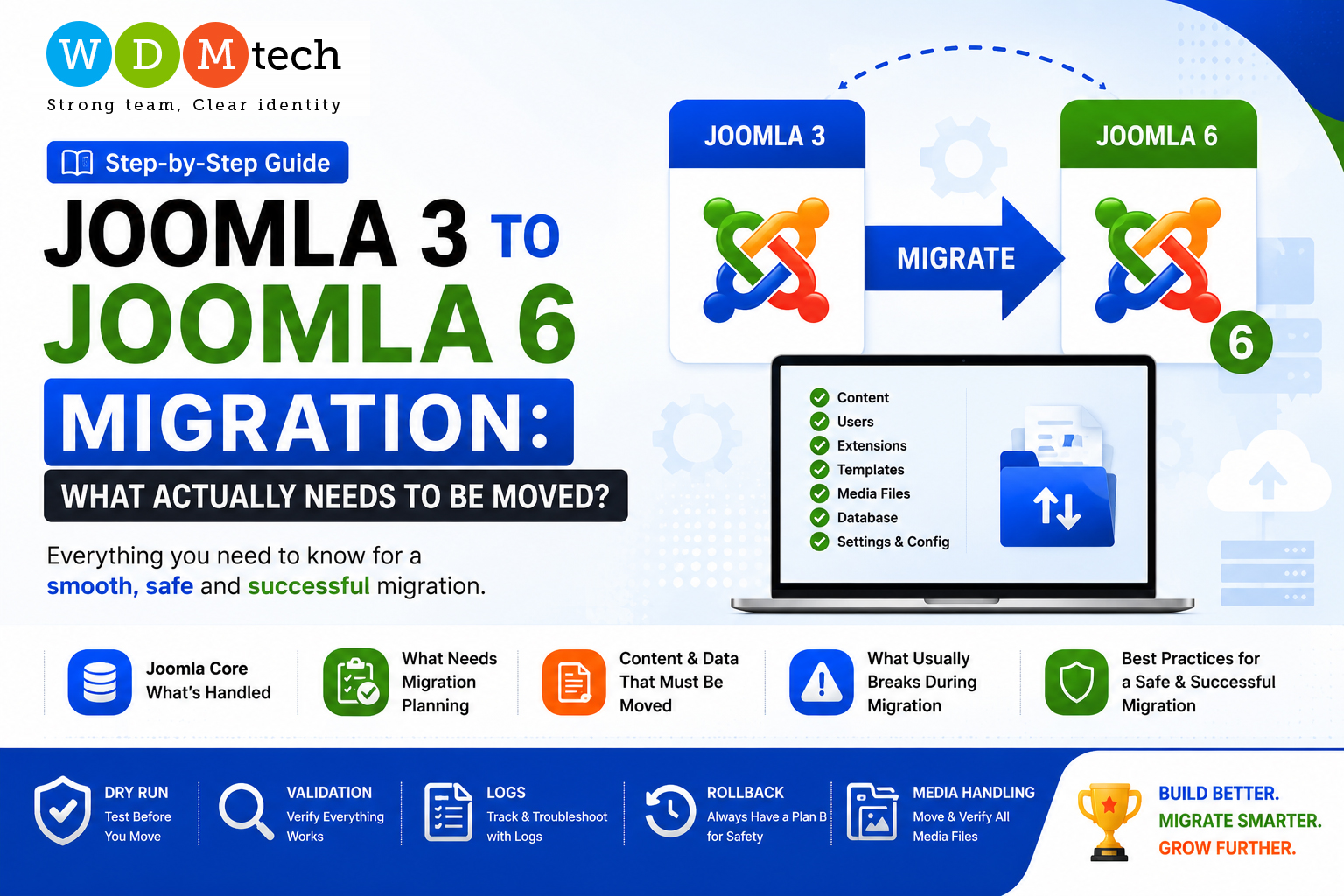
  8. Migration / backward compatibility support
    Joomla 6 includes a plugin “Behaviour – Backward Compatibility 6” (introduced in 5.4) to ease the transition from Joomla 5 to Joomla 6.
    Benefit: Smoother upgrade path for extensions and sites built on prior versions.
  9. Other nice-to-haves
    • Media Manager thumbnails for any file type.
    • Batch removal of tags from multiple articles.
    • New fields for date and datetime-local.
    • Improved TinyMCE editor version (8.0.1) for content editing.

Unlocking Data Power in Joomla with vData

In today’s fast-moving web landscape, content and data migration, synchronization, and reporting have become central tasks for website administrators. For Joomla users, whether you’re planning to upgrade to Joomla 5, consolidating multiple sites, or integrating external data sources — vData by WDMtech offers a powerful solution.

What is vData?

vData is a paid Joomla extension designed for data import/export, database management, and migration tasks. It supports Joomla core content (articles, users, modules, categories, tags, menus etc.) as well as many third-party extensions like K2, VirtueMart, JomSocial, EasySocial, EasyBlog, Zoo, Kunena, Event Booking, and others.

It works with Joomla versions 3.x, 4.x, and 5.x — meaning that for most modern Joomla sites, vData is compatible.

Key Features & Capabilities

Here are some of vData’s standout features — what makes it useful, and how it can help Joomla site owners and developers:

Feature Description Why It Matters
Data Sources & Formats Supports CSV, XML, JSON, local and remote database connections. You can upload files, pull from local/remote servers, etc. Flexibility: you can integrate legacy data, external feeds, or existing databases without forcing them into a single pre-defined format.
Predefined Profiles / Mapping vData has automated profiles for Joomla core tables and many third-party extensions. Also, field mapping tools let you match incoming fields to your target database schema. Saves time, avoids errors during migration. Especially helpful when moving many types of content.
Scheduling / Automation It supports cron / scheduled tasks for import / export operations. Useful for regular synchronization, periodic backups, or feeds that must update without manual intervention.
Feeds & APIs Ability to generate or consume feeds (RSS1, RSS2, ATOM, XML, JSON, CSV), and receive data from remote sources. For integrating external content, syndication, or using your Joomla data as a feed for other systems.
Database Management Tools Allows viewing/editing database tables, optimizing/repairing tables; running SQL queries; joining tables for complex exports. Useful for advanced users or when you have custom database needs.
Reporting & Dashboard Widgets Dashboards, charts, widgets to display data summaries, logs, etc.; email notifications on key events. Helps with oversight: seeing migration progress, spotting errors, tracking usage or content stats.
Access Control Uses Joomla’s ACL (Access Control List) to restrict who can do what in vData — both in front-end and back-end. Important for teams: developers, content editors, site admins can have different access.

Pros & What Users Like

  • Huge time saver: Instead of manually exporting/importing content, modules, users etc., vData often gives ready-to-use profiles. Many users report that it cuts migration or data tasks by “90+%.”
  • Granular control: Many filters, the ability to skip columns, partial updates, etc. If you don’t need to move all data, you decide exactly what to bring over.
  • Good compatibility: As mentioned, core Joomla content + several popular third-party extensions. Supports recent Joomla versions.
  • Automation & reporting: Scheduled tasks, logging, and dashboards reduce surprises and help monitoring.

Use Cases / Who Should Consider vData

Here are scenarios where vData shines:

  • Upgrading a site from Joomla 3 → Joomla 4 or Joomla 5, and you want to migrate all content, menus, user data, etc., with minimal manual work.
  • Merging content from multiple old sites into a new Joomla site.
  • Setting up regular content synchronizations: for example, pulling updates from external feeds, or keeping data in sync between a staging and live site.
  • Sites with complex data needs: custom fields, many third-party extensions, or lots of modules/users.
  • Agencies or developers who work with many Joomla sites; the extension helps standardize migrations, reduce errors and manual work.

Tips for Using vData Effectively

  • Back up everything first — both source site and destination. Even though vData is powerful, migrations can go wrong.
  • Identify data schema differences early — custom fields, extensions versions, naming differences. Use the mapping tools in vData carefully.
  • Test with small/partial datasets before doing full migrations. Ensure encoding, formatting, images, categories etc. map correctly.
  • Check third-party extension compatibility: If you’re importing data for a 3rd-party component, confirm that component is installed in the target version and that its schema hasn’t changed drastically.
  • Use schedule/cron for recurring tasks rather than manual exports/ imports. Set up error reporting/logging so you are aware of any issues.
  • Monitor logs: vData provides logs; they can help you troubleshoot missing data, failed import rows, mismatches etc.

Benefits of Joomla 5 cms version

Better Performance

  • More efficient web asset caching, so pages load faster.
  • Cleaned up, optimized code base (removing old/deprecated bits) for better speed and easier maintenance.

Modern Technology Stack

  • Requires newer PHP versions (PHP 8.1+, etc.), which gives you security, performance, and newer features.
  • Bootstrap updated (Bootstrap 5.3.2) for better UI responsiveness and modern styling.
  • Uses newer libraries/tools (FontAwesome 6.4, CodeMirror 6, updated WebAuthn, etc.) for better front-end and editor features.

Improved Security

  • Removal of outdated/insecure plugins (e.g. problematic Recaptcha versions), migration of events to classes, etc.
  • Support for modern authentication, including multi-factor or passkey (passwordless login) methods.

Better Content & Media Handling

  • Support for newer image formats like AVIF, which have better compression and quality.
  • Improvements in editors (TinyMCE 6.7, etc.) – e.g. ability to align images directly, nicer editing UX.

Enhanced SEO and Structured Data

  • Automatic integration of Schema.org markup for site and organization, richer snippets, better structured data support
  • This can help with search engine visibility.
  • Ability to use longer meta descriptions (≈ 300 characters), giving more scope for optimizing search listing previews.

User Interface / Usability Improvements

  • Improved dark mode for the admin interface (Atum template), better usability for administrators.
  • A cleaner, more modern UI in some parts, modal windows, better tools/UX in the back end.

More Extensible and Cleaner Development

  • Cleaner APIs, more modern JS import maps, supporting tools that align with modern development best practices.
  • Stricter version requirements drive extensions and custom developments to stay up to date.

Accessibility and Standards Compliance

  • Default templates align with WCAG (Web Content Accessibility Guidelines), making sites more usable for people with disabilities.
  • Better keyboard navigation, skip links, etc. built in.

Scalability, Stability & Ownership

  • Joomla 5 is built so that it can scale from small websites to large ones. Its modular architecture, custom fields, flexible modules help with scaling.
  • Data ownership: since Joomla is open source and self-hosted, you control your data, hosting etc.

Benefits of Joomla 4.x

Joomla 4 is a significant update to the popular open-source content management system (CMS), Joomla. It brings numerous improvements and benefits over its predecessor, Joomla 3.x. Here are some of the key benefits of Joomla 4:

  1. Modernized User Interface: Joomla 4 features a revamped user interface that is more intuitive and user-friendly. The back-end administration interface has been updated to provide a more modern and streamlined experience for website administrators.
  2. Improved Performance: Joomla 4 has been optimized for better performance. It utilizes the latest web technologies and coding practices to ensure faster loading times and improved overall website performance.
  3. Enhanced Security: Security has always been a priority for Joomla, and Joomla 4 continues to strengthen its security features. It includes improved security measures to protect against common web vulnerabilities and threats.
  4. Compatibility with PHP 7 and Beyond: Joomla 4 is designed to work seamlessly with PHP 7 and later versions, which offer significant performance and security improvements over older PHP versions.
  5. SEO-Friendly: Joomla 4 includes features that make it more SEO-friendly out of the box. It provides tools and options to help website owners optimize their content for search engines.
  6. Accessibility: Accessibility standards have been improved in Joomla 4, making websites created with the CMS more inclusive and user-friendly for people with disabilities.
  7. Custom Fields: Joomla 4 introduces a powerful custom fields feature, allowing website administrators to create and manage custom content fields easily. This feature provides more flexibility in content creation and management.
  8. Multilingual Capabilities: Joomla 4 has enhanced multilingual support, making it easier to create and manage websites in multiple languages. This is especially beneficial for international and multilingual websites.
  9. Improved Media Manager: The media manager in Joomla 4 has been updated and improved, making it easier to organize and manage media files on your website.
  10. Integration of Bootstrap 4: Joomla 4 utilizes Bootstrap 4, a popular front-end framework, for building responsive and mobile-friendly websites. This makes it easier to create attractive and responsive designs.
  11. Extendibility: Joomla 4 continues to support a vast ecosystem of extensions and plugins. The Joomla Extensions Directory (JED) offers a wide range of third-party extensions to add functionality to your Joomla website.
  12. Community and Support: Joomla has a strong and active community of users and developers who contribute to its development. This means ongoing support, updates, and a wealth of resources available to Joomla 4 users.
  13. Migration Tools: Joomla 4 includes migration tools to help users transition from Joomla 3.x to Joomla 4 with ease. This simplifies the process of upgrading your website to the latest version.
  14. Cost-Effective: Joomla is an open-source CMS, which means it is free to use. This can be a cost-effective option for businesses and organizations looking to build and maintain their websites.
  15. Scalability: Joomla 4 is suitable for both small websites and large, complex projects. It offers scalability to accommodate the needs of different types of websites.

Overall, Joomla 4 brings a host of improvements in terms of usability, performance, security, and flexibility, making it a strong choice for those looking to build and manage websites effectively. However, it’s essential to plan your website project carefully and ensure that Joomla 4 aligns with your specific needs and requirements.

Why you should Choose WordPress over Joomla?

We can provide you with an objective comparison between WordPress and Joomla based on their features, ease of use, flexibility, and popularity.


WordPress and Joomla are both content management systems (CMS) that allow you to create and manage websites without coding skills. However, WordPress is more popular and widely used than Joomla, powering 40% of all websites on the internet, while Joomla powers only 2.4% of websites.


Here are some reasons why you might choose WordPress over Joomla:


User-friendly interface: WordPress has a user-friendly and intuitive interface that allows you to create and edit pages, posts, and media without any technical skills. It has a simpler and more user-friendly interface than Joomla, which makes it easier to use for beginners.


Large community and support: WordPress has a larger and more active community of developers, designers, and users than Joomla. This means you can find plenty of resources, tutorials, plugins, and themes to customize your website and get help when you need it.


More plugins and themes: WordPress has a vast library of plugins and themes that you can use to add functionality and style to your website. There are over 58,000 free plugins and thousands of paid plugins that you can choose from. Joomla also has a good selection of plugins and themes, but they are not as extensive as WordPress.


Better for blogging and SEO: WordPress was initially designed as a blogging platform, and it still excels in this area. It has built-in features for creating and managing blog posts, categories, and tags, and it is also more SEO-friendly than Joomla.


Easier to update and maintain: WordPress is easier to update and maintain than Joomla. It has an automatic update feature that keeps your site up-to-date with the latest security patches and bug fixes, and it has a simple and straightforward system for managing updates and backups.


In conclusion, both WordPress and Joomla are good CMS platforms, but WordPress is generally more user-friendly, flexible, and popular than Joomla. However, the choice between them ultimately depends on your specific needs, preferences, and goals for your website.

Why you should Choose Joomla over WordPress?

Both WordPress and Joomla are popular content management systems (CMS) that can be used to build websites. While there are some similarities between the two, there are also several key differences that can affect which one you choose for your website.


Here are some potential benefits of Joomla over WordPress:


Multilingual capabilities: Joomla has built-in support for managing multilingual websites, which can be a useful feature for businesses with an international audience or for websites targeting multiple language markets. While WordPress does have plugins that can provide this functionality, it is not built into the core software.


More powerful user management: Joomla allows for more granular control over user permissions and access levels, which can be helpful for websites with multiple contributors or editors. WordPress also has user management capabilities, but they may not be as robust as those offered by Joomla.


Better for complex sites: Joomla is often considered to be a better choice for complex websites with a lot of content and functionality. It has more built-in features for managing and organizing content, and it can handle more complex navigation structures.


More flexible templates: Joomla’s template system allows for more flexibility in terms of layout and design, and it can be easier to create custom templates for your site. While WordPress also has a large selection of templates and themes available, they may not offer the same level of customization as Joomla.


Strong community support: Joomla has a large and active community of developers and users who contribute to its ongoing development and offer support and resources to others. This can be a valuable resource for troubleshooting issues and getting help with your website.


Of course, there are also some potential benefits to using WordPress over Joomla, depending on your needs and preferences. Ultimately, the choice between the two will depend on a variety of factors, including your website goals, technical skills, and budget.